User Manual
Your complete guide to tracking your menstrual cycle with Siku Zangu
Step 1: Choose Your Language
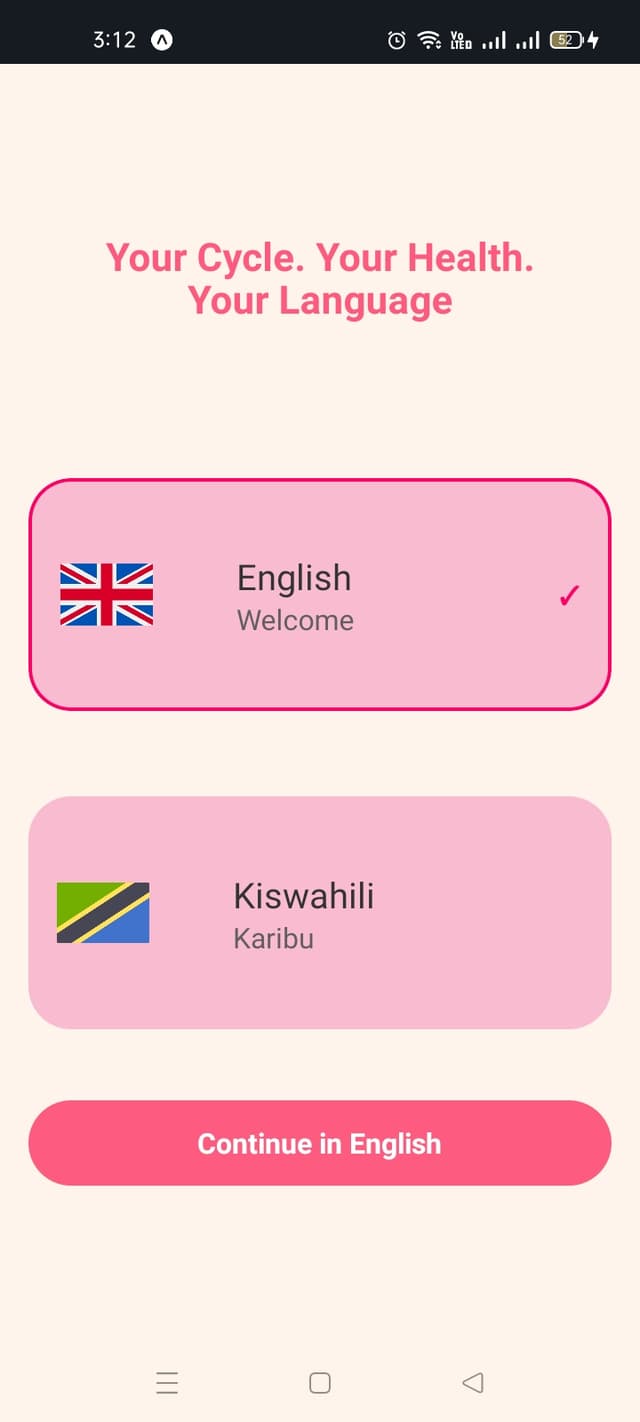
How to select your language:
- 1.When you first open the app, you'll see the language selection screen
- 2.Choose between English or Kiswahili
- 3.Tap "Continue in English" or your preferred language
- 4.You can change this later in your profile settings
Step 2: Create Your Account
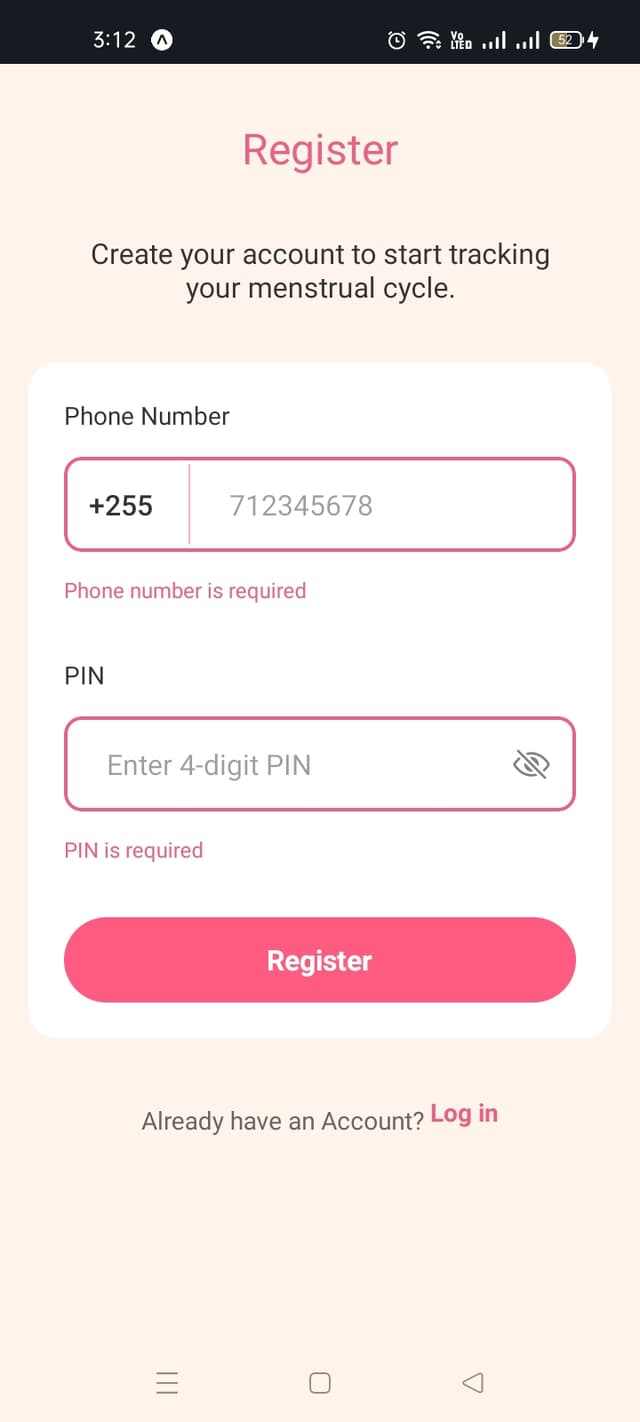
How to register:
- 1.Enter your phone number starting with +255
- 2.Create a secure 4-digit PIN
- 3.Remember your PIN - you'll need it to log in
- 4.Tap "Register" to create your account
- 5.If you already have an account, tap "Log in" at the bottom
Step 3: Sign In to Your Account
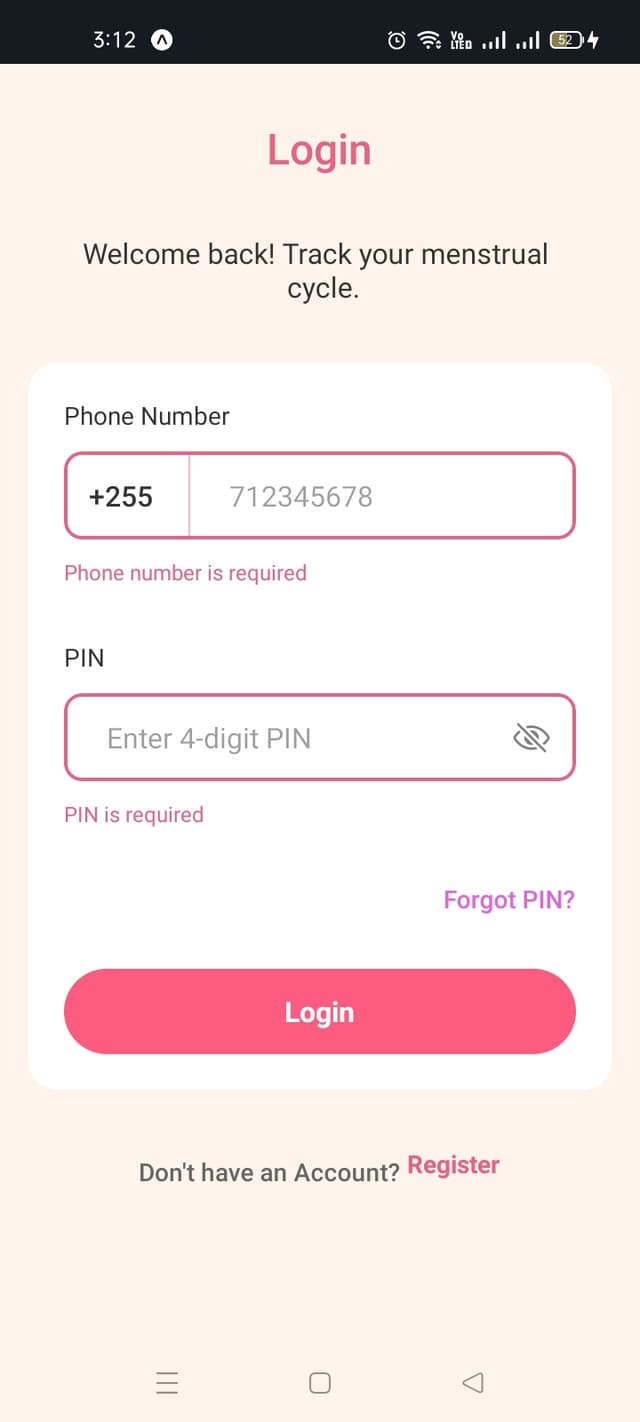
How to sign in:
- 1.Open the Siku Zangu app from your device's home screen
- 2.Enter your registered phone number
- 3.Enter your 4-digit PIN in the "PIN" field
- 4.Tap the "Login" button to access your account
- 5.If you forgot your PIN, tap the "Forgot PIN?" link below the PIN field
Step 4: Set Up Your Profile
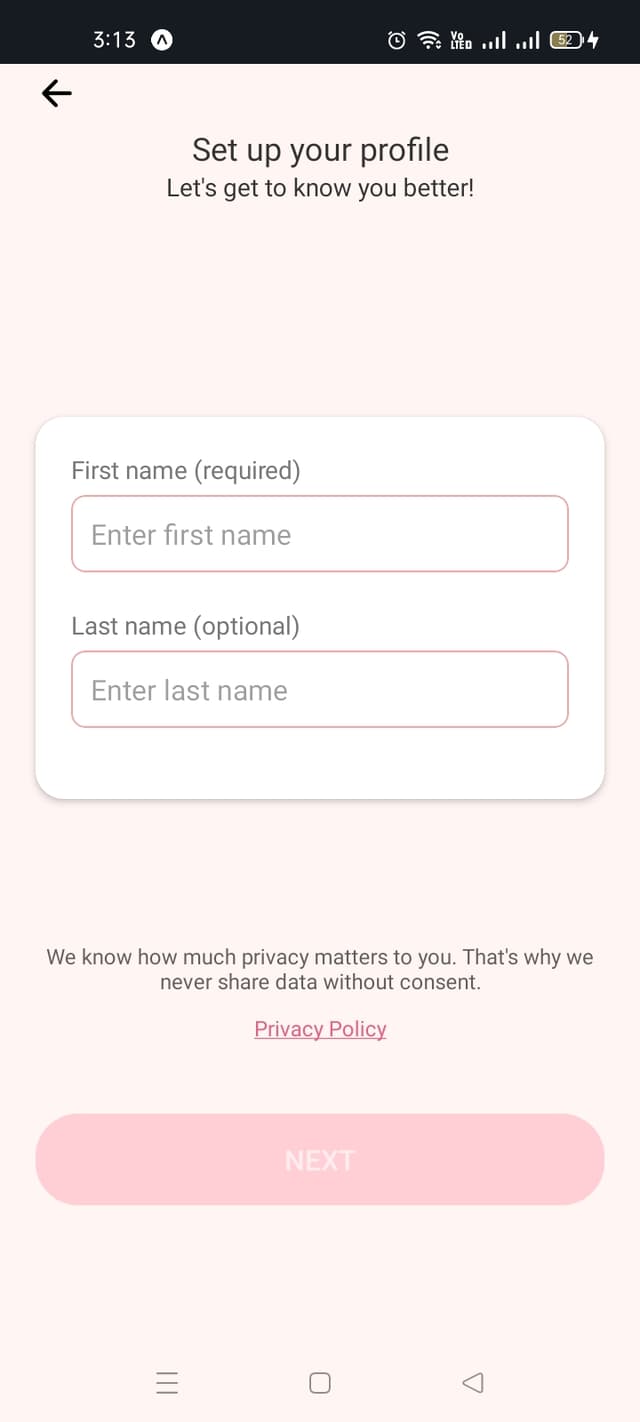
How to complete your profile:
- 1.Enter your first name (required)
- 2.Add your last name (optional)
- 3.Review the Privacy Policy
- 4.Your data is never shared without consent
- 5.Tap "Next" to continue
Step 5: Enter Your Birth Date
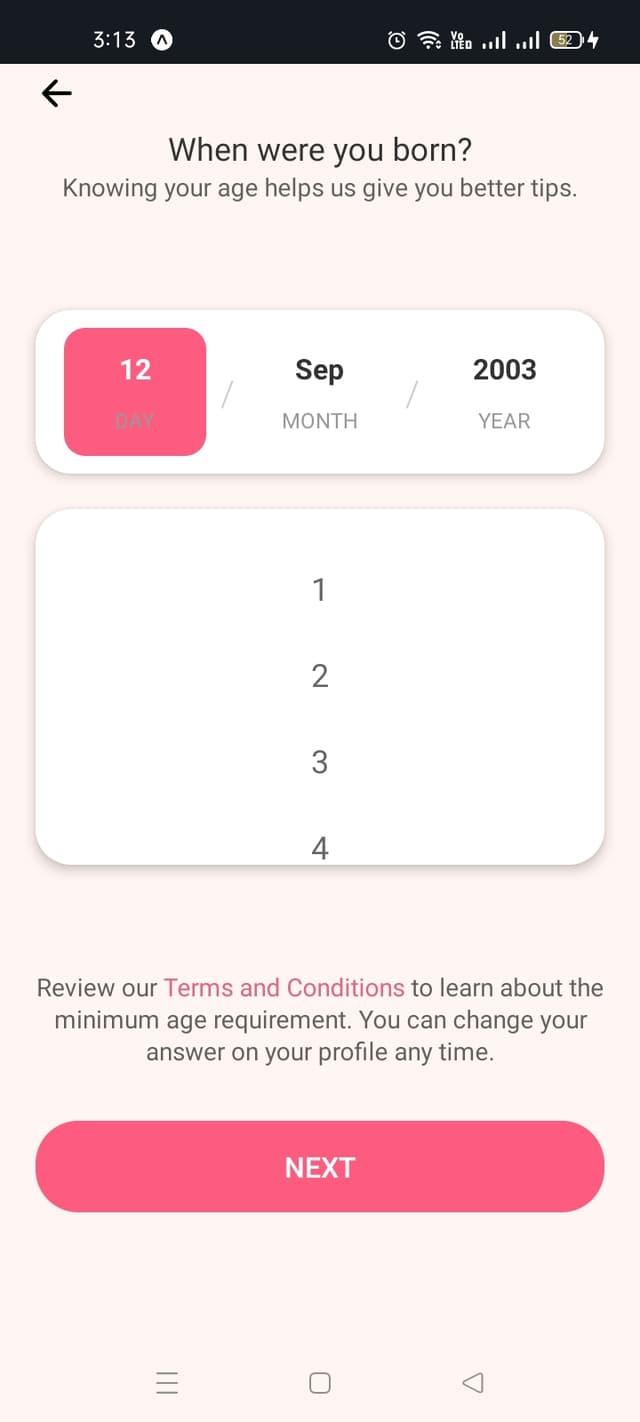
How to enter your birth date:
- 1.Use the date picker to select your birth day
- 2.Choose your birth month
- 3.Select your birth year
- 4.This helps provide age-appropriate health information
- 5.Review Terms and Conditions, then tap "Next"
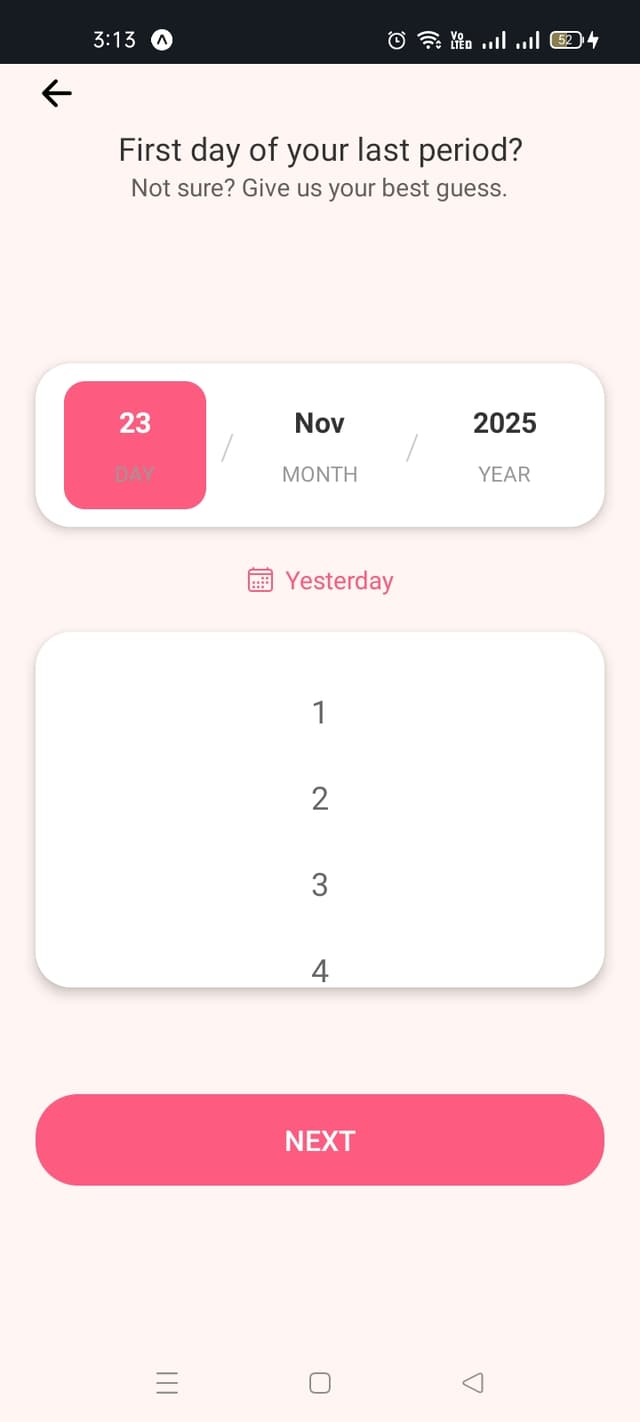
Step 6: Enter Your Last Period Date
How to enter your last period:
- 1.Select the first day of your last period
- 2.Use the date picker or tap "Yesterday" for quick selection
- 3.If unsure, provide your best estimate
- 4.This helps predict your next period
- 5.Tap "Next" to continue
Step 7: Set Your Period Duration
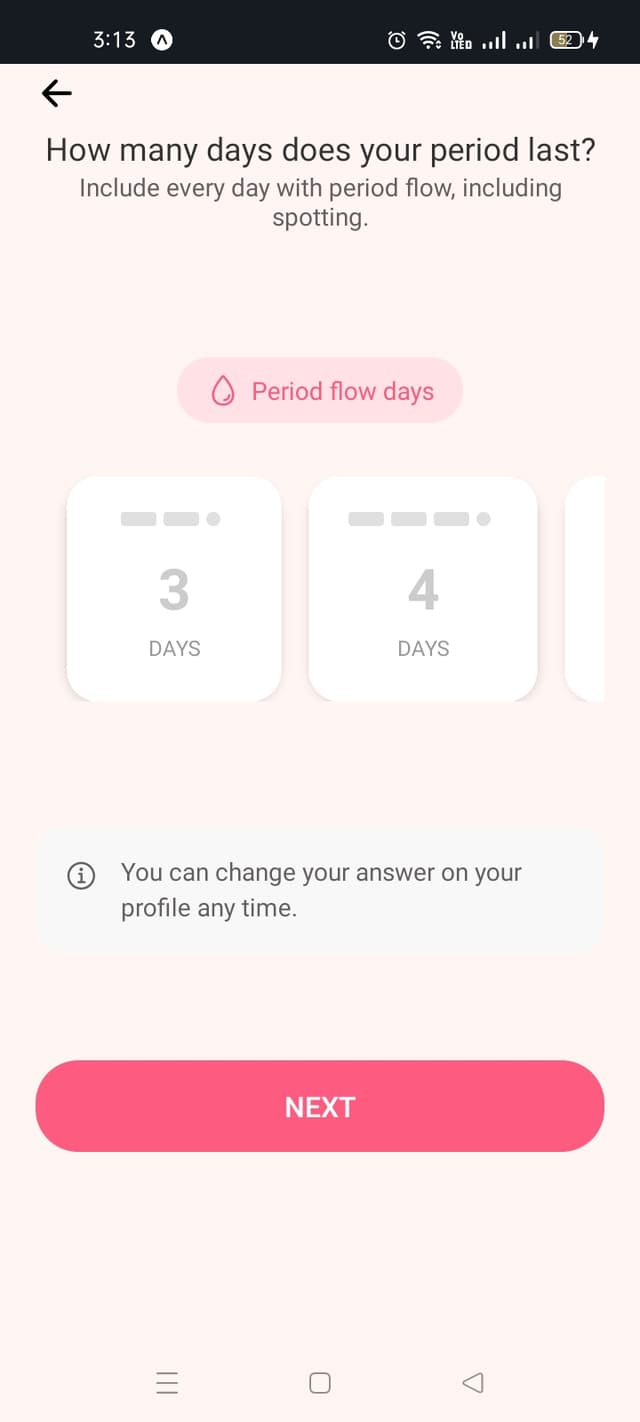
How to set period duration:
- 1.Select how many days your period typically lasts
- 2.Choose from 1 to 15 days (most common is 4-5 days)
- 3.Include all days with any flow, including spotting
- 4.You can update this later in your profile
- 5.Tap "Next" to continue
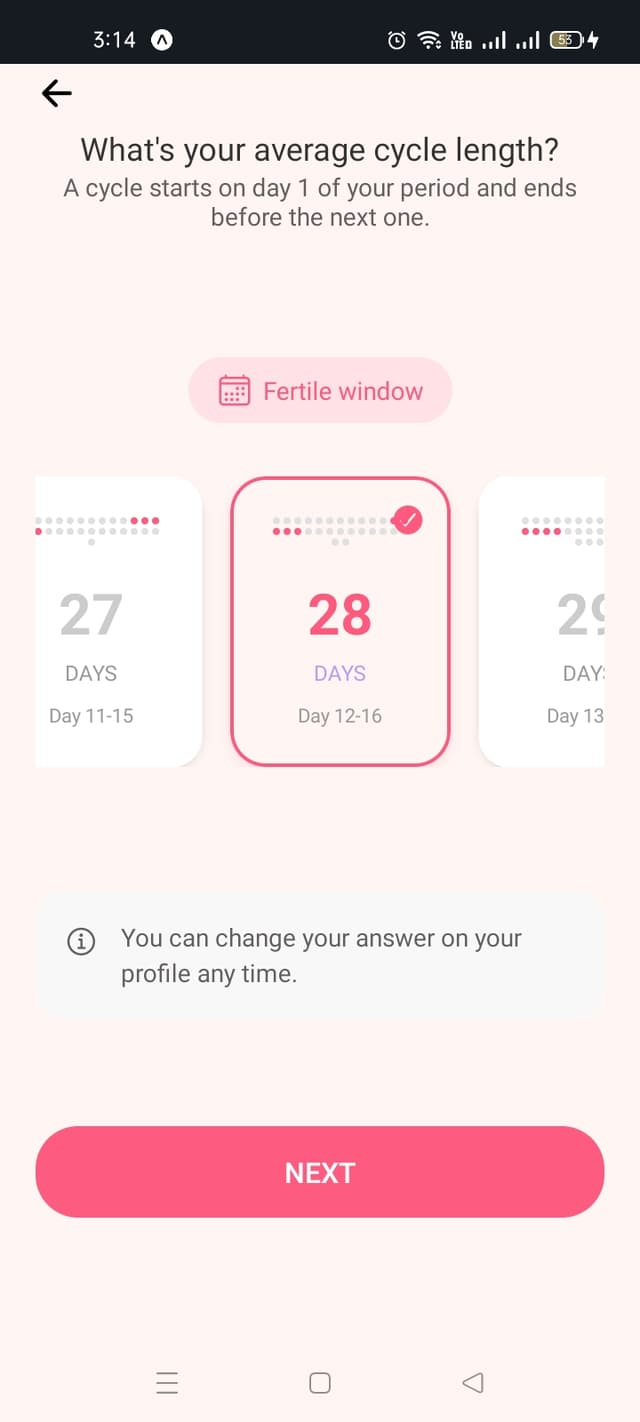
Step 8: Set Your Cycle Length
How to set cycle length:
- 1.A cycle starts on day 1 of your period
- 2.It ends the day before your next period starts
- 3.Select from 21-35 days (28 is average)
- 4.The app shows your fertile window based on this
- 5.Tap "Next" to continue
Step 9: Track Your Symptoms and Mood
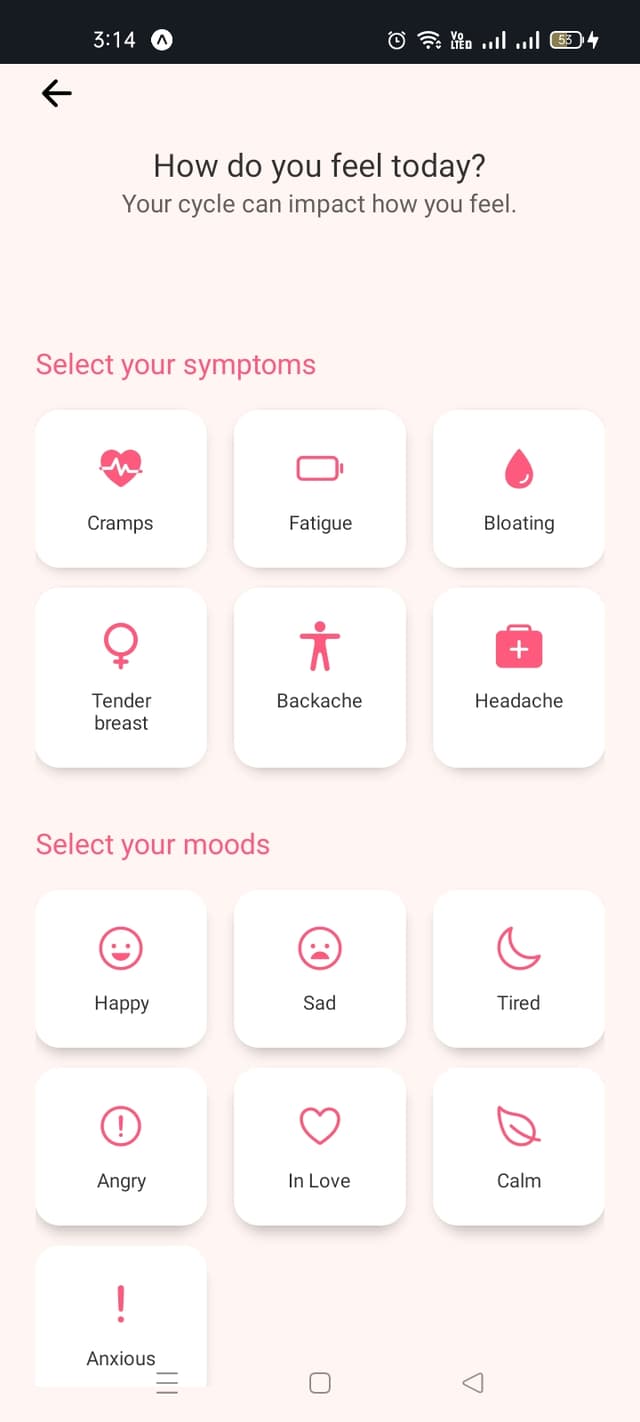
How to track symptoms and moods:
- 1.Select your current symptoms: Cramps, Fatigue, Bloating, Tender breasts, Backache, Headache
- 2.Choose your mood: Happy, Sad, Tired, Angry, In Love, Calm, Anxious
- 3.You can select multiple symptoms
- 4.Understanding patterns helps manage your cycle better
- 5.Continue to complete setup
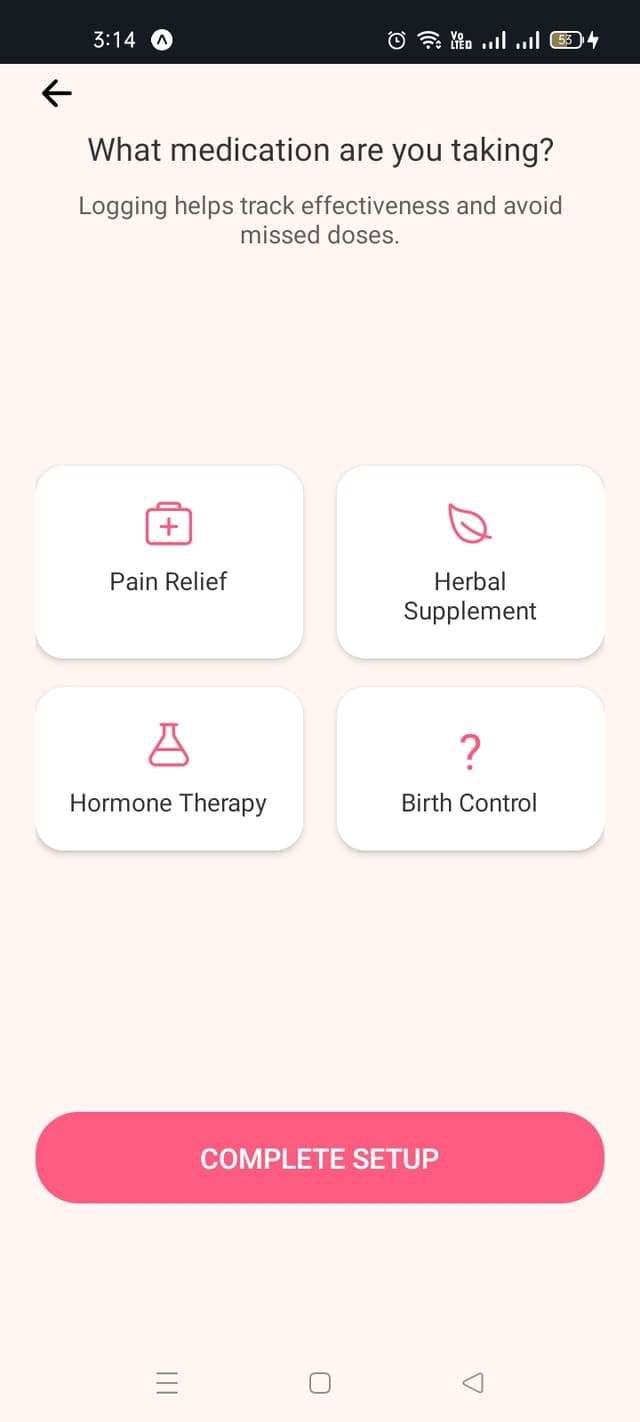
Step 10: Set Up Medication Tracking
How to track medications:
- 1.Select medication types you're taking
- 2.Options include: Pain Relief, Herbal Supplement, Hormone Therapy, Birth Control
- 3.This helps track effectiveness and avoid missed doses
- 4.You can skip this step if not taking any medications
- 5.Tap "Complete Setup" to finish onboarding
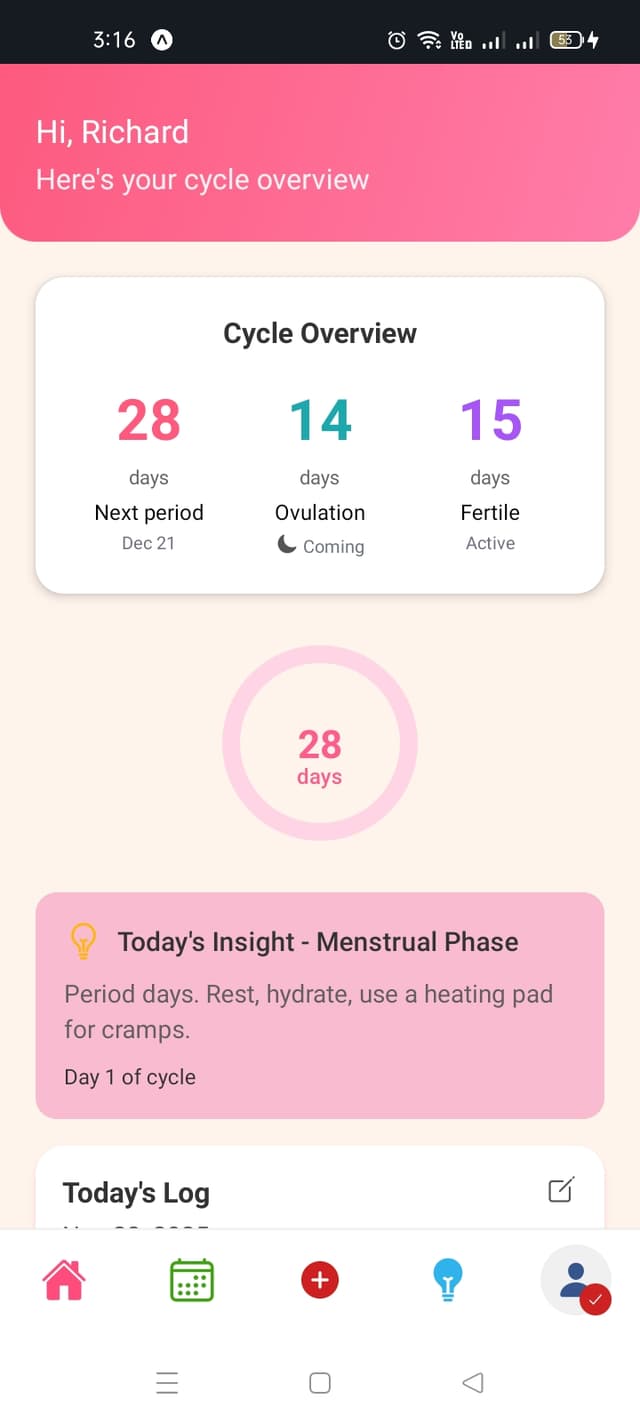
Step 11: View Your Cycle Overview
Understanding your home screen:
- 1.View days until your next period
- 2.Check your ovulation status (Coming/Active)
- 3.See your fertile window days
- 4.Read "Today's Insight" for personalized tips
- 5.Access "Today's Log" to record your daily information
Step 12: Use the Calendar
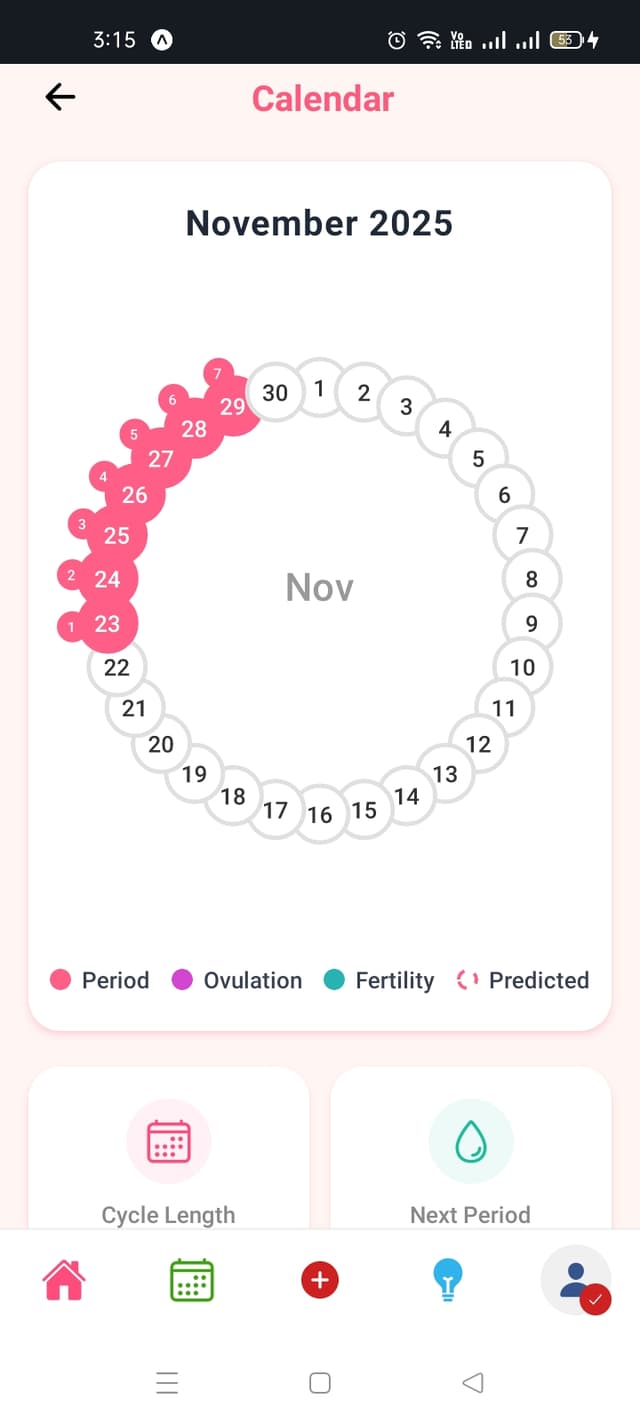
How to use the calendar:
- 1.Tap the calendar icon in the bottom navigation
- 2.Pink circles indicate period days
- 3.Purple circles show ovulation days
- 4.Teal circles mark your fertility window
- 5.View your cycle length and next period date at the bottom
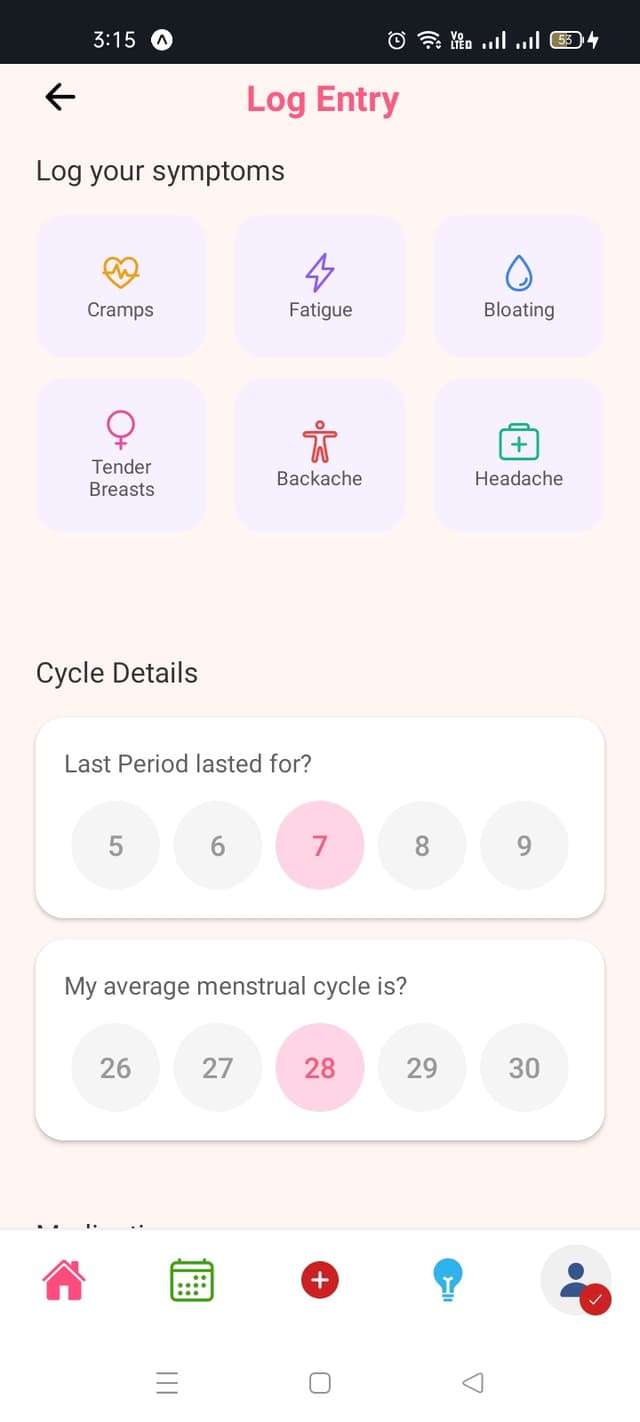
Step 13: Log Your Daily Information
How to log symptoms and moods:
- 1.Tap the plus (+) icon in the center of the bottom navigation
- 2.Select your symptoms: Cramps, Fatigue, Bloating, Tender Breasts, Backache, Headache
- 3.Choose your moods: Happy, Sad, Tired, Angry, In Love, Calm, Anxious
- 4.Update your cycle details if needed
- 5.Log daily for the most accurate insights
Step 14: Read Health Insights and Tips
How to access insights:
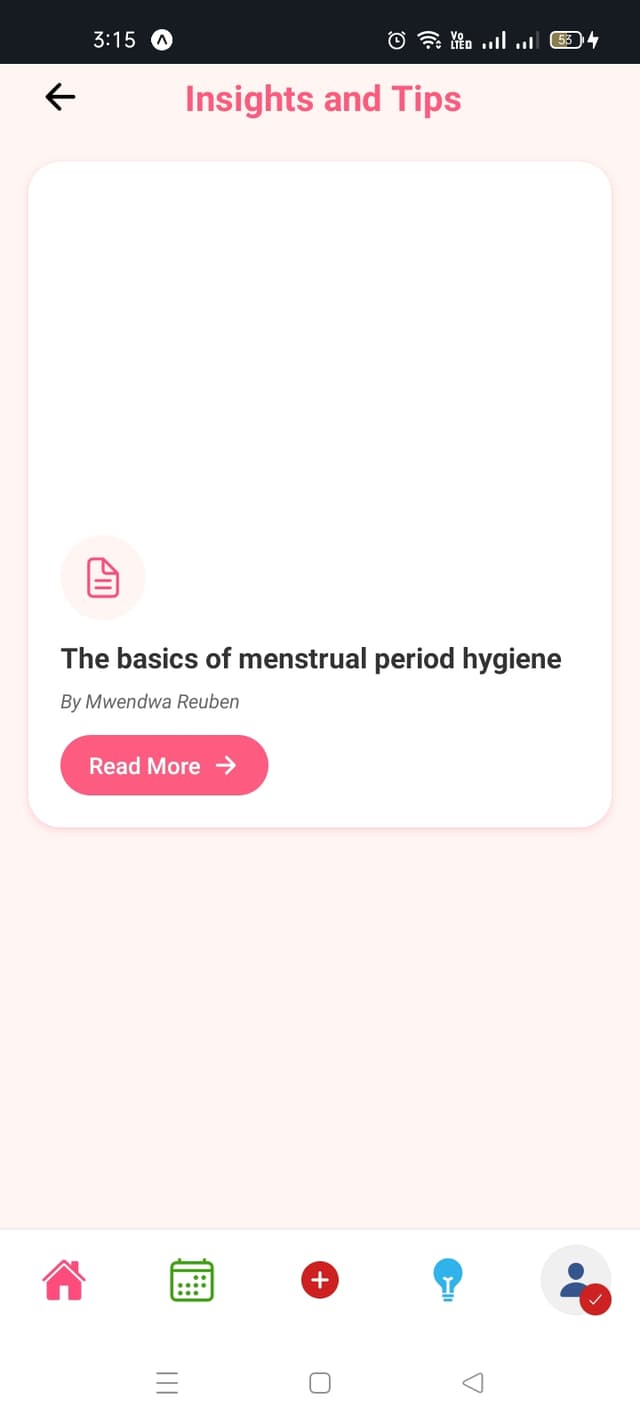
- 1.Tap the lightbulb icon in the bottom navigation
- 2.Browse educational articles about menstrual health
- 3.Tap "Read More" to view full articles
- 4.Learn about cycle phases, symptoms, and hygiene
- 5.Check back regularly for new content
Step 15: Manage Your Profile
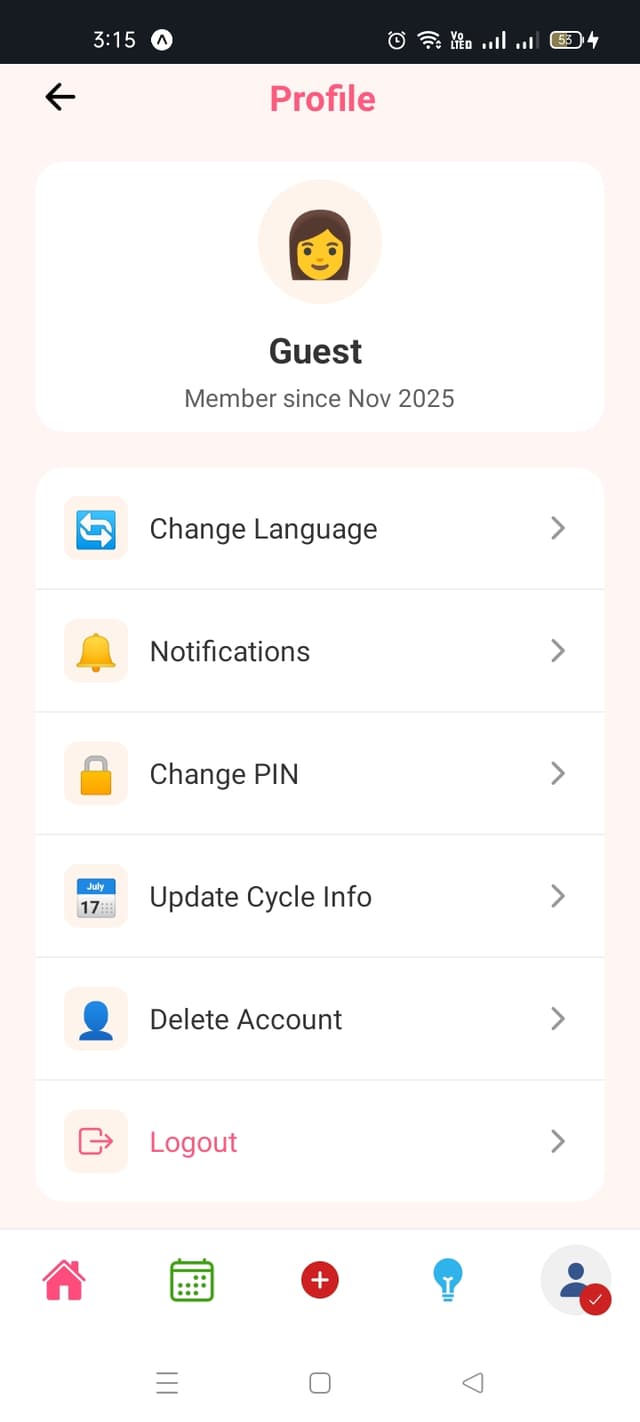
How to access profile settings:
- 1.Tap the profile icon in the bottom right corner
- 2.Change language between English and Kiswahili
- 3.Manage your notification preferences
- 4.Change your PIN for security
- 5.Update cycle info or delete your account
Step 16: Set Up Notifications
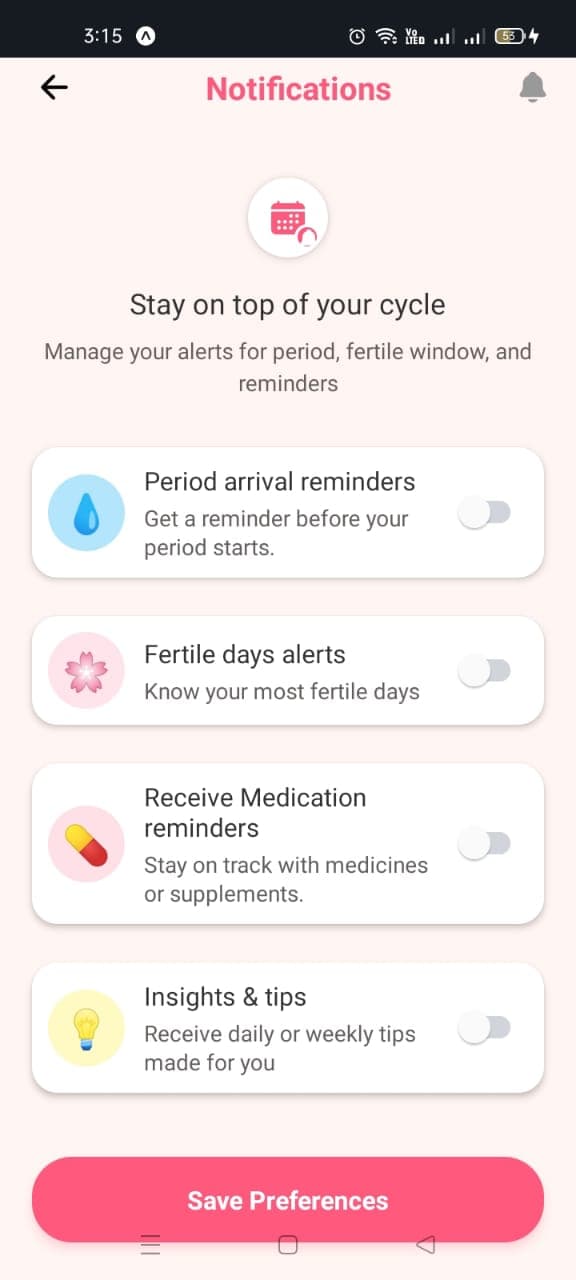
How to manage notifications:
- 1.Go to Profile and tap "Notifications"
- 2.Toggle "Period arrival reminders" to get notified before your period
- 3.Enable "Fertile days alerts" to know your most fertile days
- 4.Turn on "Medication reminders" to stay on track
- 5.Tap "Save Preferences" to confirm your choices
Step 17: Delete Your Account (Optional)
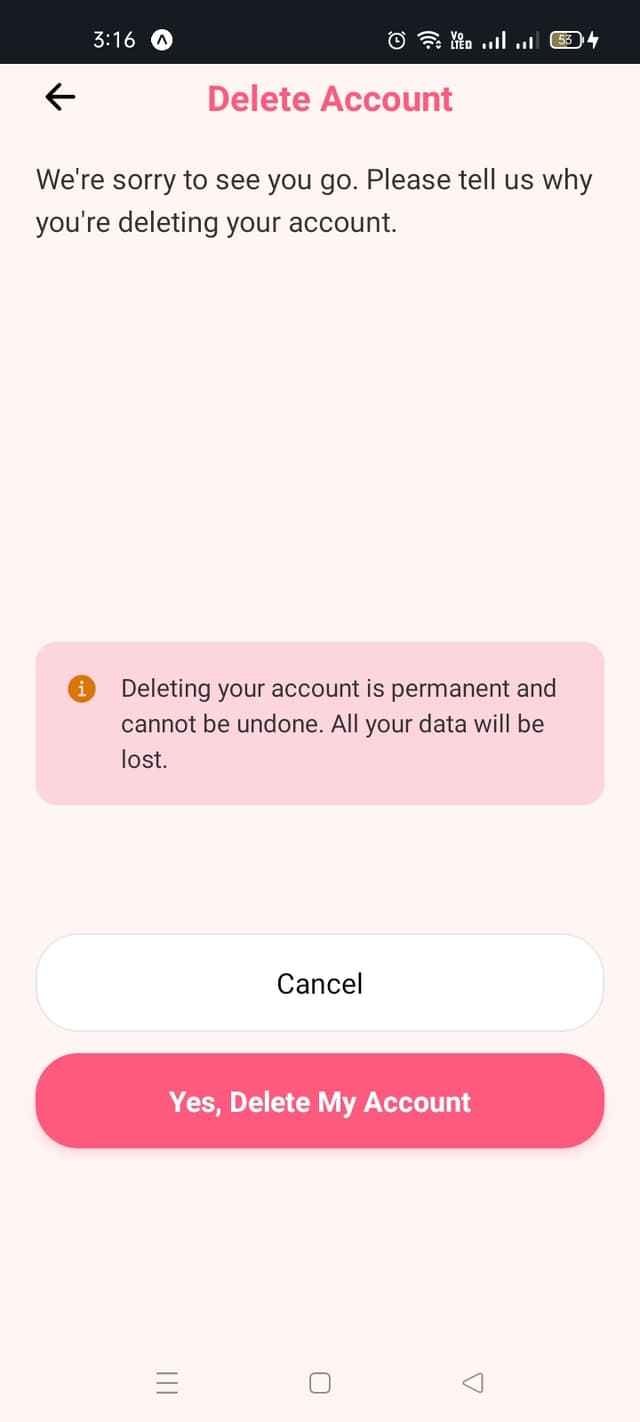
How to delete your account:
- 1.Go to Profile and tap "Delete Account"
- 2.A confirmation page will appear
- 3.Read the warning carefully - this action cannot be undone
- 4.Tap "Yes, Delete My Account" to confirm
- 5.To cancel, tap "Cancel" or close the dialog
Step 18: Change Your PIN
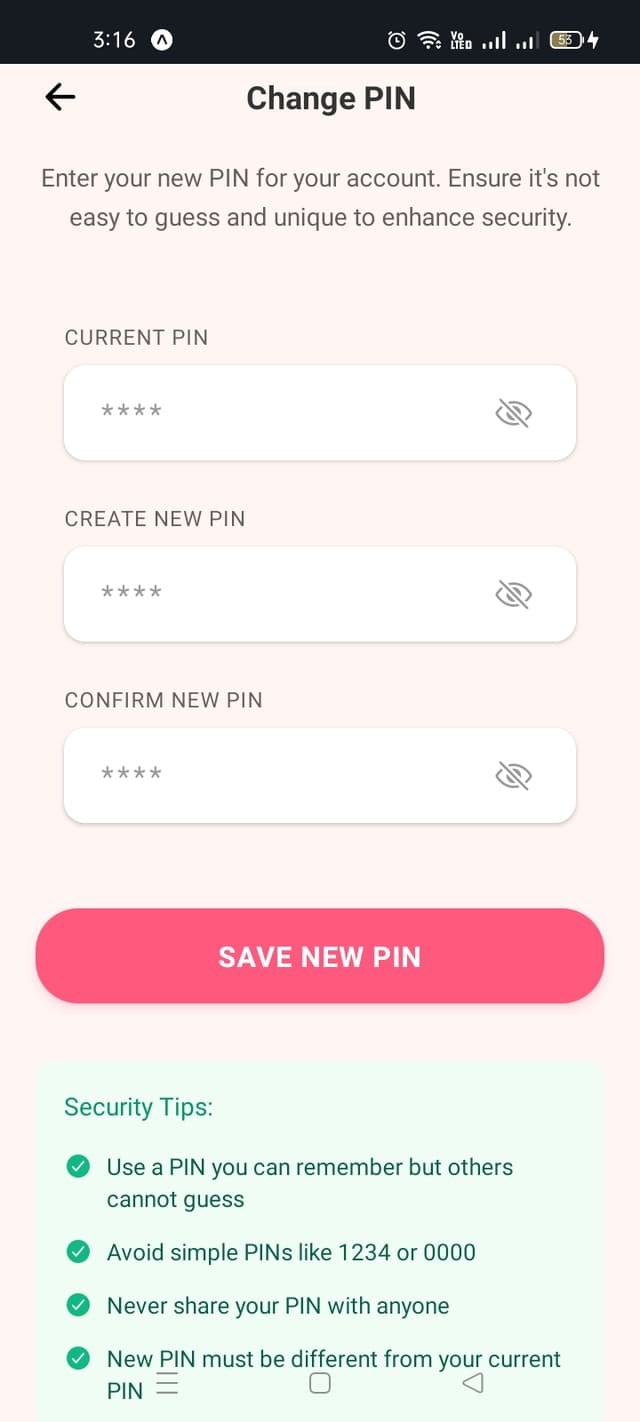
How to update your PIN:
- 1.Go to Profile and select "Change PIN"
- 2.Enter your current 4-digit PIN
- 3.Create a new 4-digit PIN
- 4.Confirm your new PIN by entering it again
- 5.Review security tips and tap "Save New PIN"
Pro Tips for Better Tracking
- •Log Daily: Track your symptoms and mood every day for the most accurate insights and pattern recognition
- •Update Cycle Info: Keep your cycle length and period duration updated as your body changes
- •Enable Notifications: Turn on reminders to never miss logging or tracking important dates
- •Read Insights: Check daily insights and educational content to better understand your cycle
- •Secure Your PIN: Use a PIN you can remember but others cannot guess, and never share it with anyone